Welcome to Delete Computer History!
Your Online Guide to a Clean & Fast Computer
It’s easy to keep your PC running efficiently, securely and fast by simply performing maintenance tasks. For easy to follow tips and tutorials, check out the links below. If you can’t find your answers on our tutorial pages, please feel free to contact me. I’m sure I can help you find the cause of your computer performance issues.
Find exactly what you are looking for by visiting Delete Computer History’s
Computer Help Tutorials, Tricks and Tips
Or simply search for specific answers to your computer problems below.
Popular Tutorials
|
|

|
|
|
Featured Tutorials
Learn How to Speed Up a Slow Internet Video
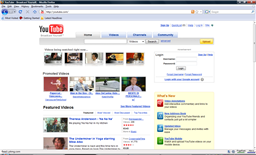 |
Streaming online video is a resource heavy process. Your PC has to download and play a video flawlessly for your enjoyment. Slow streaming can be the result of improperly configured internet settings, hardware conflicts and lack of RAM. Learn the best tips available to eliminate slow buffering, Click Here to learn more |
Speed Up a Slow Internet Connection
 |
A slow internet connection can be cause by software or hardware. You may need to change settings on both ends to insure that you are utilizing your bandwidth properly. Learn how to speed up your internet connection and stop slow download and upload speeds. Click here to learn more |
 |
Internet and Network Tutorials |
- Remove All Adult Content Off Your Computer: Your computer and browsers log all your history. If you have adult content on your computer, to ensure that it’s totally deleted. You need to delete computer history in a few areas.
- Clear Url History: Remove your typed website url history with just with a few steps.
- Stop Video Buffering Problems: Eliminate video buffering problems with these simple easy steps.
- Speed Up a Slow Browser with Public DNS Servers: Use Google DNS or Open DNS servers to speed up a slow browser. Learn how to weak your browser settings to increase online speed.
Video Tutorials
People have been complaining that Google Chrome is too slow and doesn’t work well with videos or images. Here is a quick and easy Delete Computer History video tutorial that might save you time and eliminate frustrations.
 |
Computer Performance Tips |
- Clean Up a Slow Computer: All computers need maintenance. Learn the best ways to clean up a slow computer.
- How to Speed Up Windows 7 Learn the best tips and tweaks to optimize Windows 7 for speed and performance.
- Fix PC Registry Errors: Registry Errors can be a real nuisance. Learn how to delete these errors and get a boost in performance and speed.
- Increase Virtual Memory: An easy way to improve computer performance is to increase your virtual RAM.
- What is the Cause of High CPU Usage?: Is your CPU spiking or extremely high? Learn how to reduce your CPU load and free up CPU resources.
- How to Remove Startup Programs in XP, Vista, and Windows 7 :Remove startup programs in XP, Vista and Windows 7
New Tutorials
- Improve Frame Rate: If you’re frame rate is choppy and you are experiencing lag. Try these performance tweaks.
- How to Remove Junk Files: Find out where all the junk files exist on your computer
- Speed Up Computer Software: These programs will give your computer better performance.
- Reduce Chrome Memory Usage: These tweaks will help you limit memory usage in the browser.
Today’s Quick Bytes
When you internet connection constantly drops out, it’s a real irritation. However, this problem can be linked to anything from power setting to interference. However, some people may just need to just refresh their modem settings. Surprisingly you might be able to do this by quickly turning off your modem and router for a few minutes. However, if you want to find out more ways to stop internet connection dropouts, click here