Has Google Chrome been crashing constantly? If so, there is usually a few reasons for this. Yes Chrome is very fast and relatively easy on your computer’s resources. But without a doubt, it has a few bugs that prevent it from being a stellar application. Adding some extensions to chrome will cause the browser to crash. One of the most common extension that cause crashing is Shockwave. So we will focus on this plugin but you can use the instructions below to remove any plugin that may be causing your browser to crash. You can fix errors that may conflict with your browser speed and stability, click here to learn more
One of the reason why Shockwave crashes Chrome is because this application is installed directly into Chrome as opposed. So if it crashes Chrome crashes. This is different from other browsers because Shockwave isn’t hardwired into the their architecture.To remove it. Follow the instructions below.
Disable Plugins
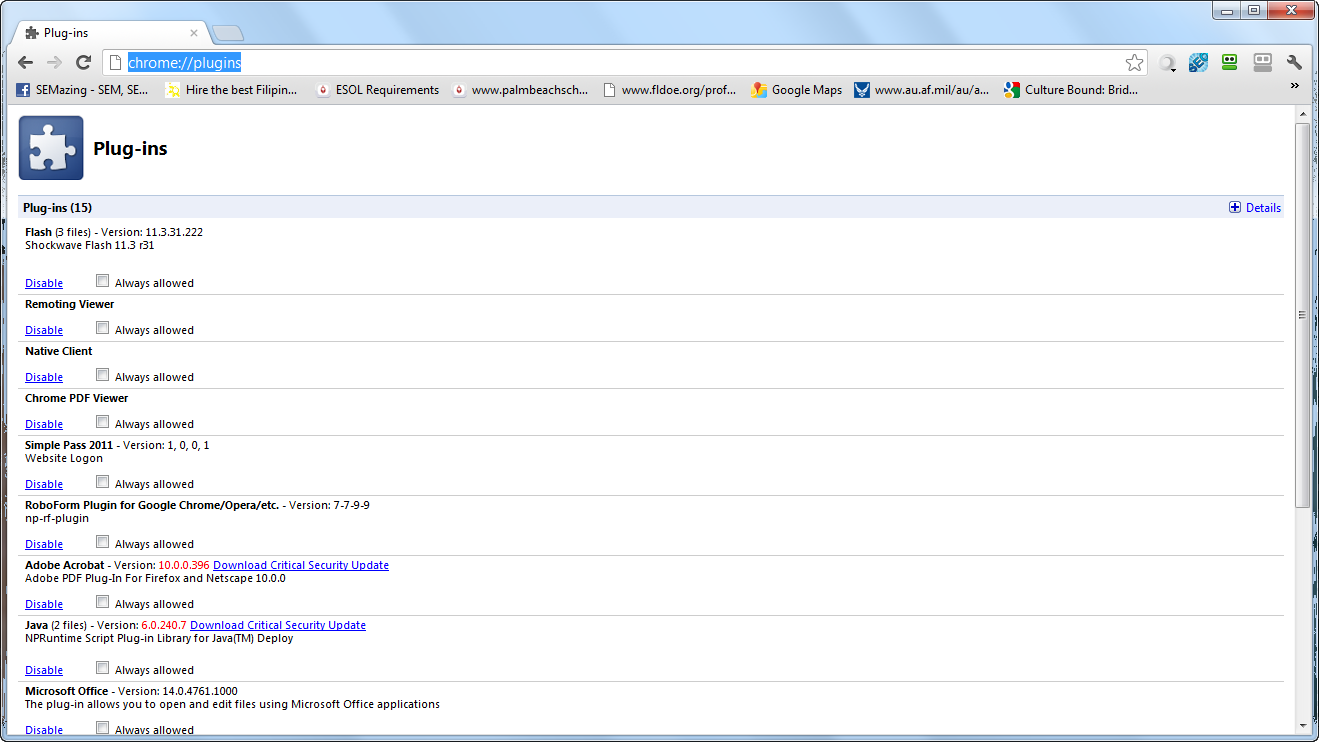
- Open Google Chrome
- Type chrome://plugins/
- Scroll down to Shockwave
- Click Disable
Shockwave VS. Chrome Shockwave Plugin
Shockwave plugin is one of the most poorly integrated features in Chrome. Shockwave is installed on your computer and Chrome also has a version on Shockwave installed in the browser. This is a serious recipe for Chrome constant chrahes. Remove it from the Plugins

Disable Extensions
If Shockwave isn’t your culprit, just select the plugin that you believe is causingthe problem.
Next if you are having problem with an extension. You can disable or uninstall it. Allow extension work seamlessly into Chrome. However, others cause a huge amount of slow down and may even crash the system. Follow the instruction below to get rid of any extensions that may be causing problems.
- Open Chrome
- Type chrome://extensions/
- Disable the extension by removing the check in the enable box or you can choose to uninstall
Once you have performed these actions, you need to restart Google Chrome. If the problem persist. you should remove each extension one by one to find out which one is the culprit. Sometimes, its best to just uninstall the Google Chrome completely and do a fresh install to remove all the crap you’ve added to it. Lastly, your problem might be malware related.
FACEBOOK VS. CHROME
If you you are using Facebook, remember that Facebook remove Google Chrome from it’s recommended browser list. So, a lot of applications on Facebook might cause Chrome to crash. Facebook recommends using Internet Explorer and Opera for their site. So, its up to you regarding what browser you want to use.
Learn how to speed up Google Chrome with this Tutorial
Reset Browser to Default to Stop Chrome Crashes
In order to reset the browser to default, you will need to remove all the current user settings. This will force the browser back into the default settings. Therefore all customization will be removed. Do pefrom this follow the steps below
Click the Stacks icon> Choose Settings> Under the User section, highlight all the users and click Delete.

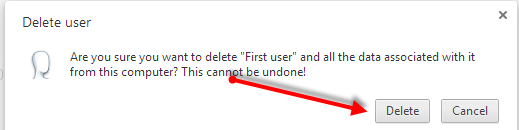
This is a very easy way to stop Google Chrome crash problems and constant crashing. Just be aware that you will lose all your options.
SCAN FOR ERRORS
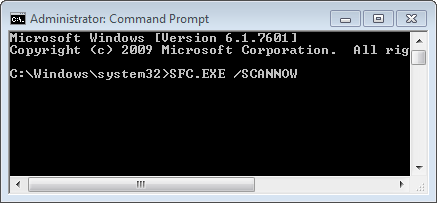
If nothing has worked, you should scan the PC for errors. You can easily do this by using the SFC.EXE SCANNOW funciton in Windows. To do this, simply go to command prompt enter the command.
- Click Start
- Choose All Programs
- Chose Accessories
- Click the Command Prompt
- Type SFC.EXE /SCANNOW