Why do you need to unblock websites. Well, we all want to get to a our favorites websites at work. However, there are few quick and easy solution you can make to unblock website content without too much hassle.
How to Unblock a Website Solution 1: Use A Web Proxy
The easiest way to unblock a website is access the website via another website. This is known as a web proxy. Web proxy provides an anonymous avenue for you to access a website. Luckily there are thousands of web proxies on the internet at your disposal. The downside of web proxy is that its is being used by hundreds of people which will cause slowdown. Paid web proxy service helps you to avoid this. To access web proxy just simply Google web proxy and on the site type in the URL you would like to visit. For more info on web proxies, click this link Web Proxies
Read more about IP address and proxy sites
Unblock a Website Solution 2: Set Up A Proxy
Here are instructions on how to setup a proxy in Firefox and Chrome:
Here are instructions on how to setup a proxy in Firefox:
In Firefox
- Open Firefox, choose “Tools” menu
- Scroll down to “Options” and Click
- Choose “Advanced” Tab
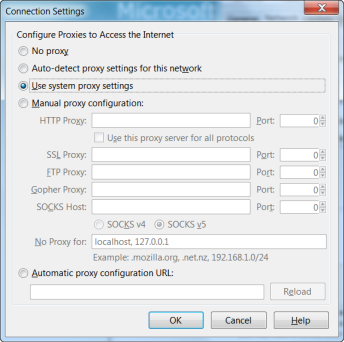
- Under Connections Click “Settings”
- Choose “Manual proxy configuration”
- Type in your proxy number
- Click use this proxy server for all protocols
- Restart your browser
In Chrome
- In Chrome, click the stacks icon
- Choose Settings
- In the settings tab, click show advanced settings.
- Click change proxy settings.
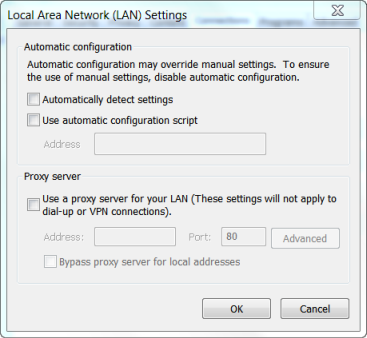
- After the Windows internet options open, click LAN Settings
- Enter the proxy address and port number
Here are instructions on how to setup a proxy in Internet Explorer:
- Open Internet Explorer.
- Click the Tools button, choose Internet Options.
- Click the Connections tab, choose LAN settings.
- Select the Use a proxy server in your LAN check box.
- In the Address box, type the of the proxy server address.
- Choose the port number.
Unblock Blocked Website Solution 3: Use the Command Prompt
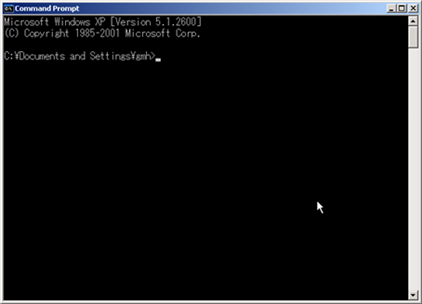
This feature can allow you to unblock websites in all application other than your browsers. It requires entry into your command prompt
- Open the command prompt
- Ping the website you want to unblock by typing “ping www.website.com” without the “”
- Copy the IP next to “Reply From”
- Paste the IP into your address bar.